Installing 9front on a Raspberry Pi
Posted on Tue 25 March 2025 in OS
Installing 9front on a Raspberry Pi
The basic install of 9front on Pi's is very straightforward:
grab the corresponding image for the latest 9front release and dd it to an SD card.
For further setup, especially of automatic boot select and starting the listener for drawterm, I recommend this page: Setting up 9front on a Raspberry Pi.
One issue not covered by the above is the rather small filesystem size of the prepared image.
Many Linux images for the Raspberry Pi are preconfigured to automatically resize the filesystem to occupy the full SD card on first boot.
Unfortunately, this doesn't seem to be supported by any of 9front's filesystems so far.
The easiest way to use the full SD card for me was to prepare both an SD card and an USB stick with the official image.
You can then boot the kernel from SD card, but choose to mount the filesystem from USB:
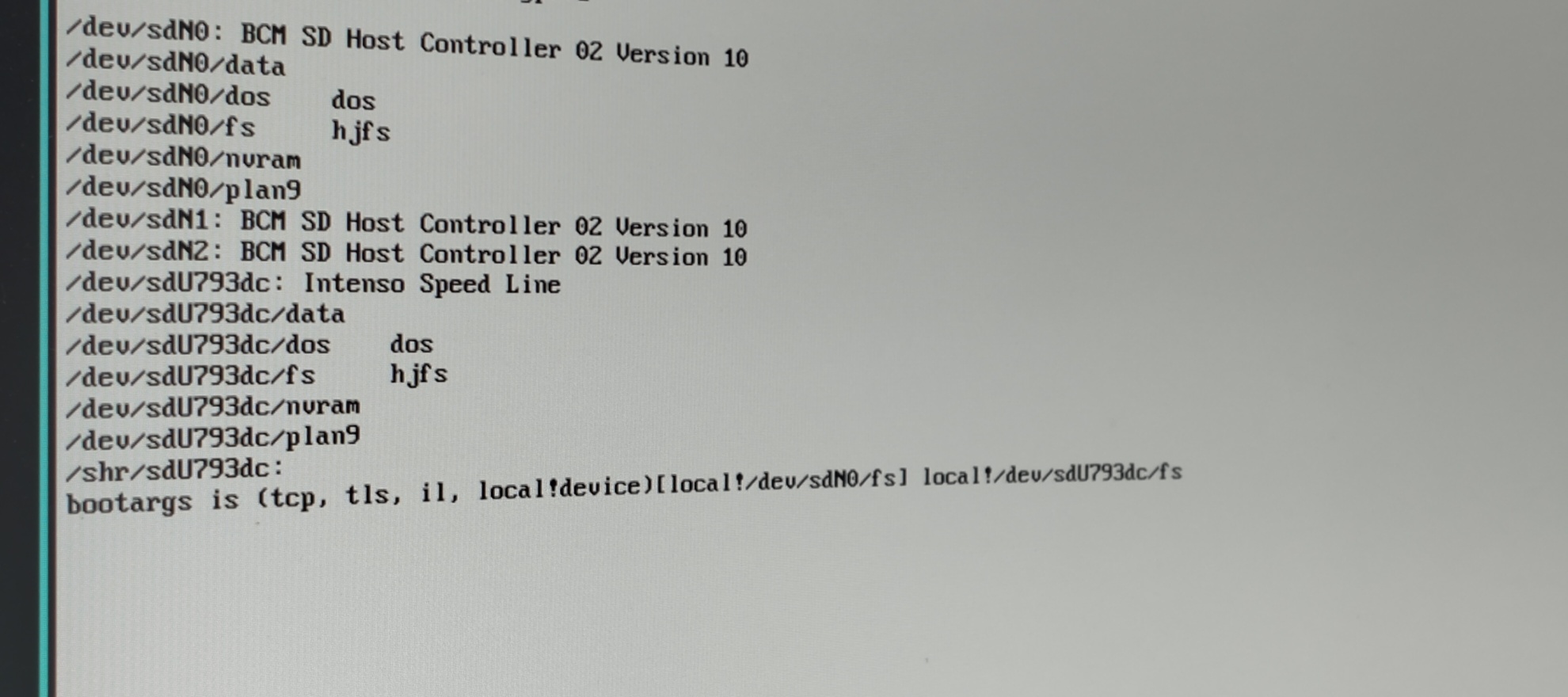 i.e. replace the default boot location
 local!/dev/sdN0/fs with the appropriate USB fs, e.g. local!/dev/sdU793dc/fs.
Then you can run inst/start and install the system to SD as you would on a PC/SSD.
Note: don't let it install the boot stuff in the last step [bootsetup], though!
The routines are not adapted to the Raspberry Pi and will probably break the boot procedure.
If in doubt or trouble, just replace the boot partition's content with the original image's after running the install.